Capture your screen
Record supported on-screen activity through Apple's broadcast picker, with optional microphone commentary and adjustable video quality.
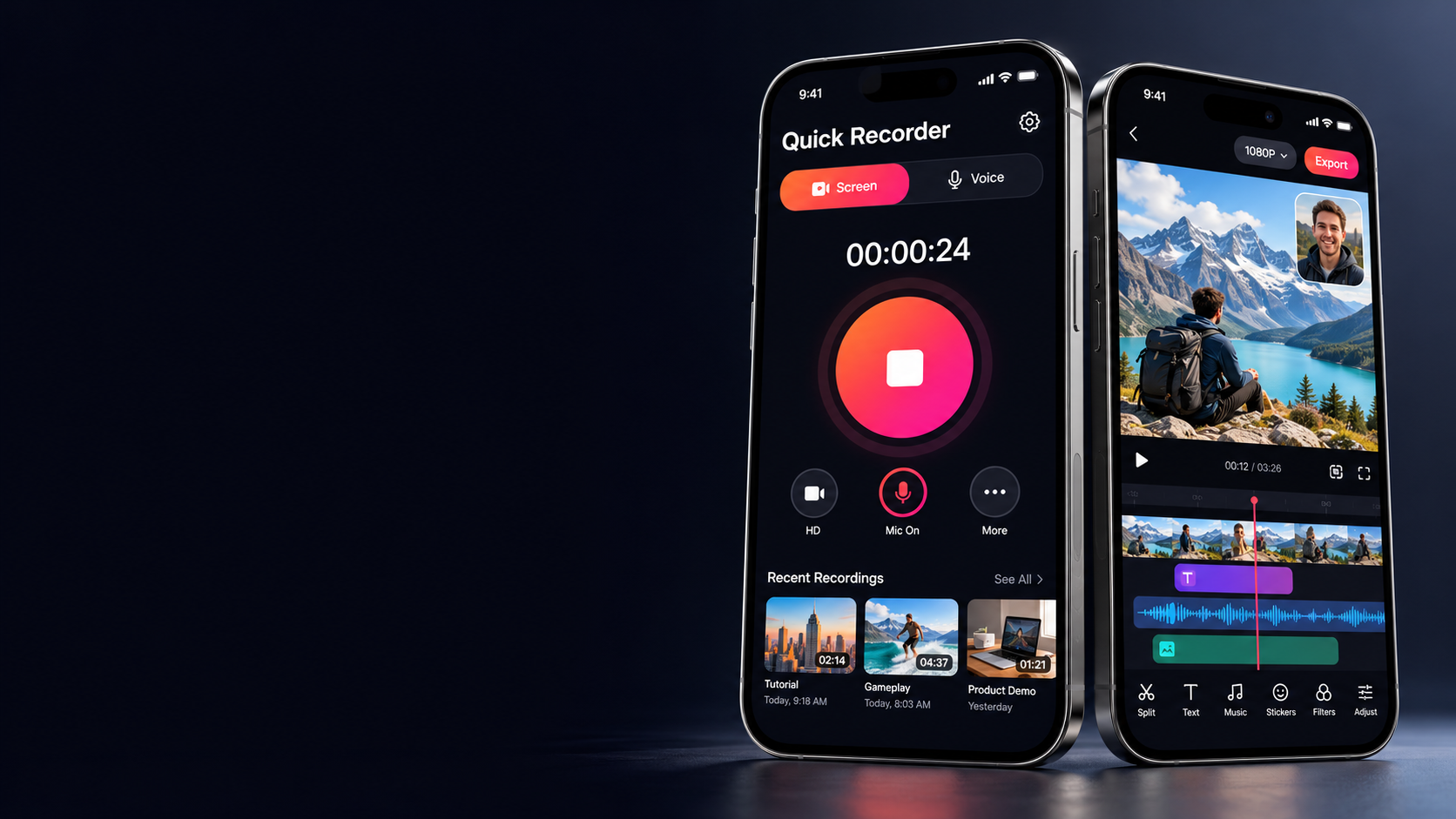
Screen recorder. Video editor. Creator toolkit.
Capture your screen and voice. Add Face Cam, captions, and a soundtrack. From the first take to the final edit, your next creation starts here.
Concept app preview
From the first take to the final cut
Screen tutorials, gameplay, voice notes, and personal videos. Capture the moment, then make it your own with a complete recording and editing toolkit.
Record supported on-screen activity through Apple's broadcast picker, with optional microphone commentary and adjustable video quality.
Record audio with a live waveform and elapsed timer. Pause, resume, and save voice notes without making a video.
Use a floating camera preview for screen recordings or record a Face Cam layer over an existing video.
Build a layered timeline with clips, photo and video overlays, text, transitions, filters, music, and recorded voiceovers.
Generate captions from video audio, edit their wording and style, and translate on supported devices with installed language files.
AI Voice Cancellation reduces steady background noise on your device. It is noise reduction, so other speakers may still be audible.
Compress a video with quality and codec controls, or extract a selected part of its soundtrack into the audio library.
Search recordings by name, filter videos and audio, browse edited exports, rename files, preview, share, or delete.
How it works
Select Screen or Voice. For screen recordings, choose your resolution, frame rate, and microphone setting.
Start Quick Recorder in Apple's broadcast picker, or press record in Voice mode. Add Face Cam when you want to be in frame.
Open a recording or import media. Trim clips, layer visuals, add captions, and build your soundtrack.
Choose export quality, save to Photos with permission, or share a file from your recording library.
Explore the toolkit
From recording controls to the details of your edit, keep your workflow together.
Record a walkthrough, capture gameplay, or keep an audio note. Pick the capture settings that work for your device and your content.
Arrange clips and layers on a timeline, then polish the picture and the words that go with it.
Add a soundtrack, record commentary, or keep just the audio from a video.
Choose your output settings and keep recordings, audio, and edited videos easy to find.
Contact Us
App support, feedback, or a privacy question.
Send us a message.